Search With Context
Compare homes, condos, rentals, land, and project opportunities while keeping the places you may want to revisit from disappearing into tabs and screenshots.
A Hamilton apartment, Paget home, Warwick rental, Southampton property, or St. George’s opportunity can raise very different questions. estateTT helps you search, save, compare, and keep tours, messages, documents, valuations, property records, and professional support easier to manage from your account.
Compare homes, condos, rentals, land, and project opportunities while keeping the places you may want to revisit from disappearing into tabs and screenshots.
The property may look right, but lender review, title context, valuation timing, seller records, legal review, and tight market timing can change how sensible the next step feels.
Buying, renting, selling, preparing documents, requesting valuation support, finding an agent, or reviewing a development each needs a different kind of support.
What are you trying to do?
Pick the property question in front of you. estateTT gives you a clearer place to start, whether you are finding a home, preparing a move, or running the work behind a transaction.
Now exploring
Find a place
Start with the property decision in front of you.
Start with the property type and path that fit what you need.
Get the property, seller, and mortgage details in order before the transaction moves forward.
Choose the professional path that matches the work you do around a property transaction.
When a Bermuda property becomes real work
A Hamilton apartment, Paget home, Warwick rental, Southampton property or St. George’s opportunity can become serious quickly. estateTT gives tours, messages, documents, property questions, valuation needs and professional follow-up one place to stay connected without taking decisions away from the people responsible.
Step 1
Keep Hamilton apartments, Paget homes, Warwick rentals, Southampton properties, St. George’s options and development opportunities easy to revisit.
Properties · saved properties · saved searches
Step 2
Keep tours, agent messages and calendar activity visible when a Bermuda property moves beyond casual browsing.
Tours · calendar · messages
Step 3
Keep ownership or eligibility questions, title items, property records, mortgage preparation, valuations, documents and service requests close to the property they belong to.
Readiness · documents · valuations · services
Step 4
Review offers, requests, professional handoffs and follow-up without rebuilding the property story from separate chats, notes and inboxes.
Offers · requests · progress
Buyer workspace
The account view used to keep property activity connected
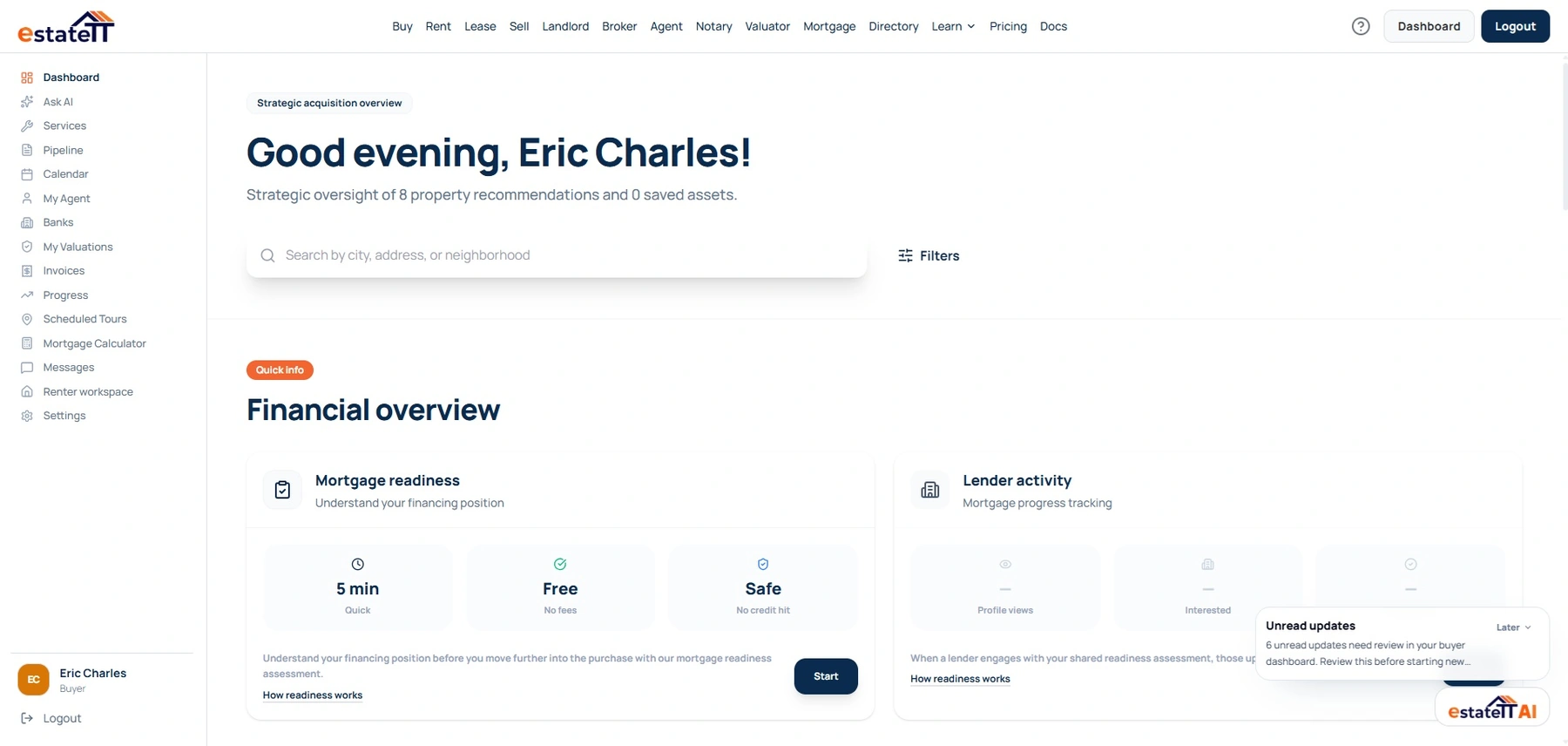
Saved activity
Properties and saved searches.
Scheduled activity
Tours and calendar records.
Transaction activity
Offers, progress and support requests.
The account changes with the work
Choose a role to see the account visual and responsibilities designed for that work. Company accounts and service providers have their own dedicated paths in the same switcher.
Buyer account preview
Live estateTT account
Save properties and searches, manage tours and messages, review offers and progress, prepare mortgage records, and reach valuation or service support from the buyer workspace.
Saved properties and searches
Tours, calendar and messages
Offers, readiness and valuations
One property. Different responsibilities.
Each participant manages the activity attached to their own role. The account helps them prepare records and conversations; users still control what they share, and qualified professionals keep responsibility for professional decisions.
The property in question
The common reference, not a shared decision-maker
Searches, saves, schedules and keeps their own questions and activity in view.
Manages property records, interest, applications, offers and property-side follow-up.
Handles leads, clients, listings, mandates, viewings and professional communication.
Reviews the records and requests relevant to financing or valuation work in its own workflow.
Manages the request, documents, quote, appointment or service work they are responsible for.
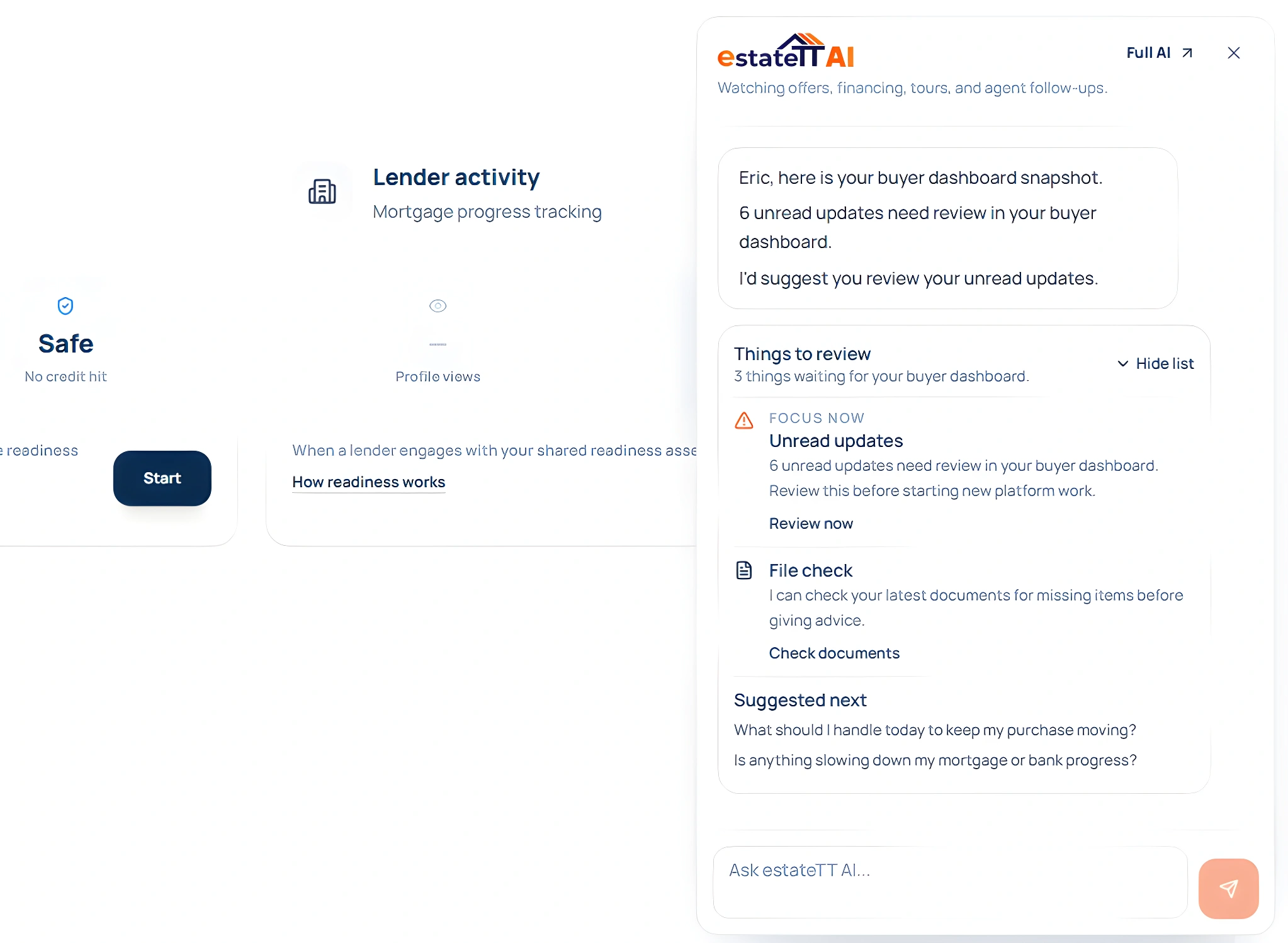
The individual buyer review agent is read-only and advisory. It can inspect supported buyer records and suggest the relevant place to continue; it does not determine ownership eligibility, title, property suitability, value, financing, tax treatment or legal outcomes.
Buyer offers and their current status
Mortgage readiness files and document gaps
Upcoming tours and calendar activity
Saved properties, agent recommendations and updates
Choose the next move
Start with active sale and rental listings in Bermuda.
Browse nowCreate the individual, company or professional account that matches the work you need to manage.
Start signupReview account options for agents, brokers, developers and property professionals.
View plansChoose the work in front of you: finding a property, listing one, managing clients, preparing for financing, arranging a valuation, handling legal-support work, or presenting property services.
estateTT is a technology provider that delivers specialized workflow and organization tools for various real estate platform participants. estateTT is not a real estate agency, brokerage, legal firm, or financial institution. The platform does not make title, lending, landholding-license, fee, deposit, or transaction-outcome decisions. While the platform reserves the right to review participants to maintain network quality, it does not certify professional credentials or replace independent checks. Users are solely responsible for independently verifying all transaction details, licensing, and legal requirements with qualified local professionals and relevant regulatory authorities before engagement.