Search With Context
Compare villas, homes, condos, land, rentals, and project opportunities while keeping the places you may want to revisit from disappearing into tabs and screenshots.
A West Coast villa, Christ Church apartment, St. James rental, or inland land opportunity can all catch your attention for different reasons. estateTT helps you search, save, compare, and keep tours, messages, documents, valuations, payment questions, and professional support easier to manage from your account.
Compare villas, homes, condos, land, rentals, and project opportunities while keeping the places you may want to revisit from disappearing into tabs and screenshots.
The property may look right, but land tax details, title review, valuation timing, lender review, and attorney requests can change how sensible the next step feels.
Buying, renting, selling, preparing documents, requesting valuation support, finding an agent, or reviewing a development each needs a different kind of support.
The reality of the market
In Barbados, a listing can look good for one reason and become complicated for another. The location may be right, but then you need to think about land tax information, title review, valuation support, lender review, attorney requests, property condition, or whether the monthly cost still feels comfortable.
Once you know what you are trying to do next, estateTT gives you a more useful way to continue. You can browse, rent, sell, prepare for lender review, request valuation support, find a real estate professional, review a development, or organize legal-support questions without letting the important details drift away from the property you are considering.
Where estateTT fits
Browsing is easy until the questions start separating from the properties. One place may need land tax details checked, another may depend on title review, another may need valuation support, and another may only make sense after lender or attorney review.
If you are comparing a West Coast villa, a Christ Church apartment, and a parcel inland, the useful question is not only which one looks best. It is which one still makes sense once the documents, costs, and people involved are easier to compare.
Land tax details, title questions, valuation timing, lender review, attorney requests, service needs, and inspection follow-up should stay beside the property they belong to.
When an agent, lender, valuator, attorney, notary, or service provider becomes part of the conversation, it helps when they can understand what you saved, asked, booked, and still need answered.
Pick what you need next
Use the part of estateTT that matches what you need to do now, whether that is browsing listings, checking monthly costs, requesting valuation support, finding an agent, or preparing legal-support questions.
Search homes, condos, villas, and land while keeping tours, offers, title questions, valuation needs, lender conversations, and professional support easier to manage from your account.
Compare apartments, homes, and long-stay rentals while keeping availability, lease questions, landlord replies, documents, maintenance concerns, and move-in timing easier to revisit.
Prepare the listing, price support, seller records, buyer questions, property condition notes, and professional follow-up before serious interest starts asking for answers in different places.
Check documents, payment estimates, deposit details, and the property information a lender may ask about before a promising listing turns into a stressful scramble.
Present available units, project details, infrastructure notes, buyer requirements, and reservation steps clearly enough for interested purchasers to understand what happens next.
Manage buyers, sellers, listings, mandates, messages, viewings, and follow-up before serious enquiries disappear across separate conversations.
Prepare valuation requests with the property purpose, location, access details, documents, contact information, and supporting notes organized before the enquiry is sent.
Organize property details, party information, signing needs, title questions, and documents before legal-support or notary work starts asking for missing basics.
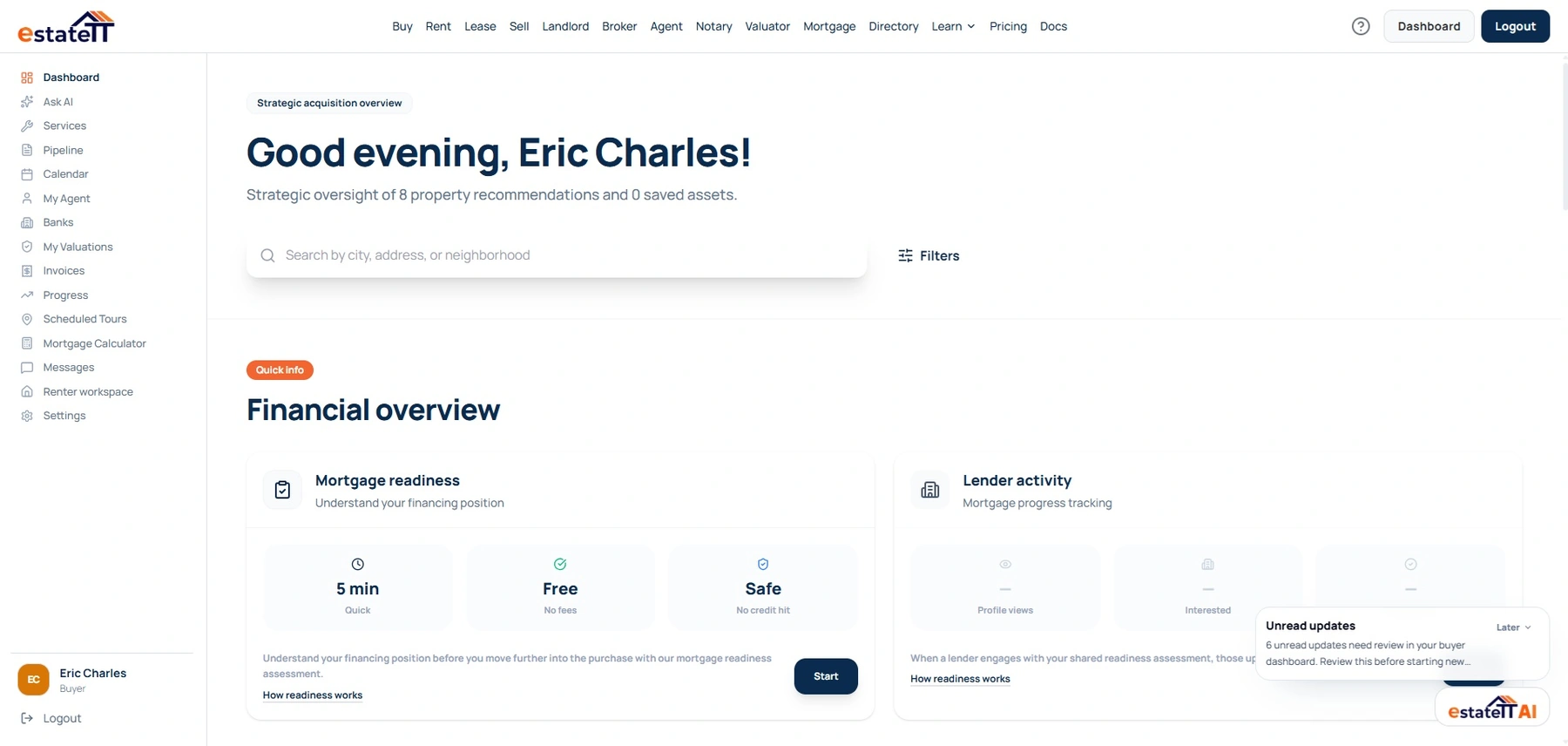
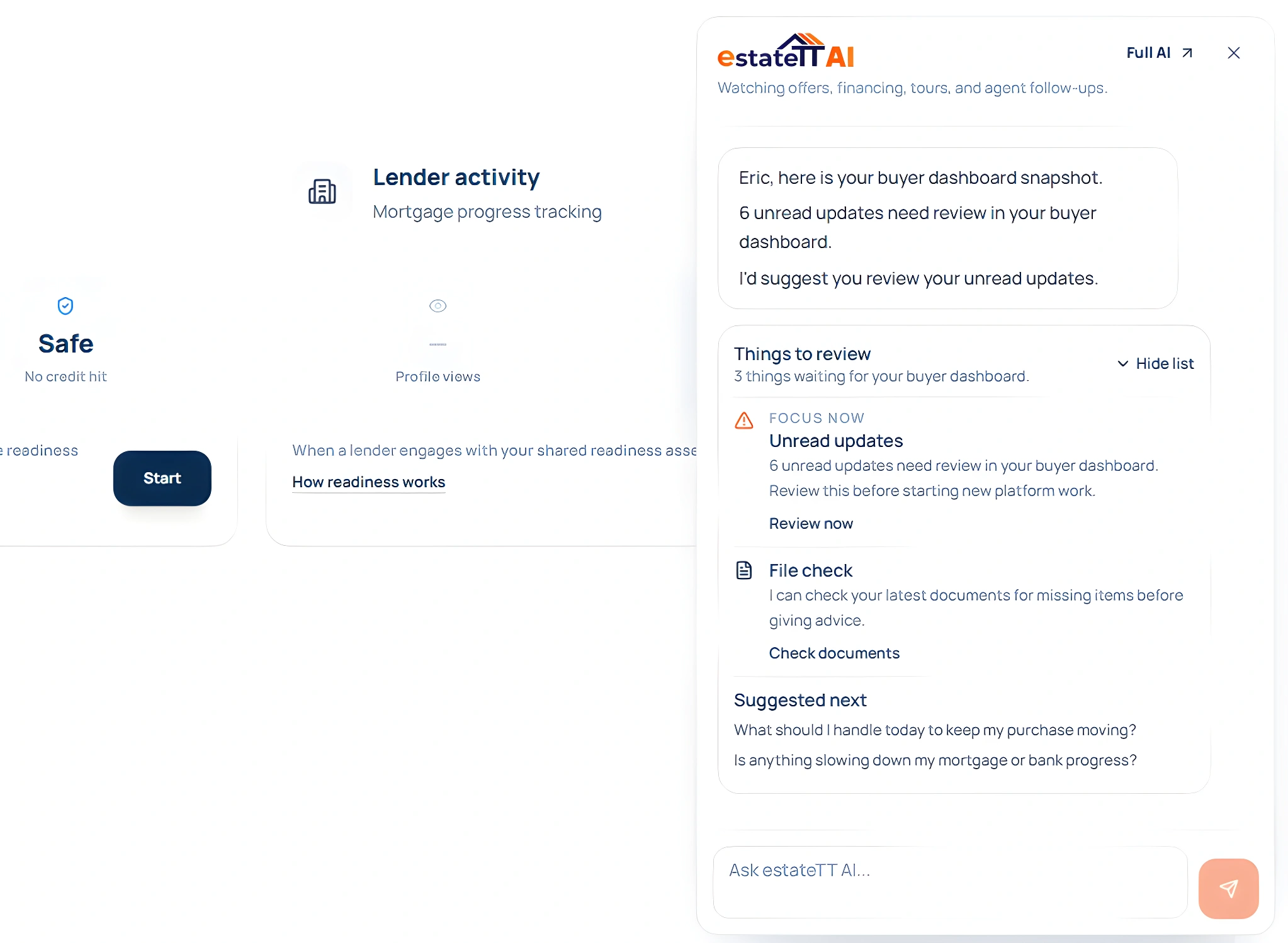
This is not a basic chat box beside the page. estateTT AI can look across supported activity in your account and help you notice missing details, quiet follow-up, and items that may need attention before the next conversation gets heavier.
Ask estateTT AI what your account activity is showing, from saved Barbados properties and messages to documents, requests, tours, offers, valuations, service quotes, and unread updates.
A buyer comparing villas, a seller preparing records, and a valuator reviewing a request do not need the same answer. estateTT AI can look across supported account activity and respond from the workspace that fits the role.
estateTT AI can help you notice gaps and ask better questions, but it does not approve lending, value property, confirm title, calculate tax, draft legal documents, or replace qualified professionals.
Built around the people involved
A real estate decision in Barbados can pull in different people at different times. estateTT provides the workspace for the listing, documents, messages, service requests, valuation activity, and lender-related questions to stay easier to follow before every conversation becomes a fresh explanation.
Buyers and renters can keep saved listings, tours, offers, messages, documents, and practical questions together, so the search does not turn into screenshots, separate chats, and half-remembered follow-up.
Sellers, landlords, agents, and developers can keep serious interest, property details, viewing notes, buyer questions, and follow-up in the account built for their role before each enquiry becomes another separate conversation.
Valuators, attorneys, notaries, lenders, and service providers can start with clearer property details and use their role-specific estateTT tools to keep related client activity easier to manage.
Role-specific tools
A Barbados property search may begin with location, price, and whether the listing feels right, but the next questions can involve tours, offers, seller records, land tax details, valuation support, lender conversations, and professional follow-up. estateTT gives buyers, sellers, agents, developers, and service providers their own account tools, so the work after the first look does not have to fall back into scattered messages.
A buyer can keep the shortlist, payment picture, title questions, land tax details, valuation needs, and professional support closer to the properties they may actually pursue.
A renter can keep availability, lease questions, landlord replies, documents, move-in timing, maintenance, and later tenancy activity from becoming separate problems after the listing is found.
A seller can respond to real interest with clearer property information instead of rebuilding the story around price support, seller records, title context, property condition, and follow-up every time someone asks.
A landlord can manage the property after the listing stage, keeping tenant activity, maintenance, rent records, service requests, documents, and messages close enough to understand what is happening.
An agent or broker can keep client conversations easier to manage beside the listing that started the enquiry, which matters when buyers, sellers, attorneys, valuators, and service providers all need different details.
A developer can show what is available, what the project requires, and what the next step involves before interested purchasers need the same explanation repeated across several conversations.
A valuator can manage valuation activity from a dedicated dashboard while reviewing clearer property purpose, access details, supporting records, contact information, and client details.
A notary or legal-support professional can manage requests with more property, party, signing, title, and document context while legal judgment stays with the qualified person handling the matter.
A service provider can receive requests with more context around the property and the reason for the work, which makes the first conversation more useful.
Professional boundaries
You and the professionals you work with can use estateTT to keep property activity, documents, messages, requests, and questions easier to follow. Legal, lending, valuation, title, tax, regulatory, and closing decisions remain with the qualified people responsible for them.
The workspace and tools for users and professionals to manage listings, searches, tours, offers, documents, messages, valuation activity, service requests, and property questions.
Ownership, title, tax or fee treatment, valuation conclusions, legal advice, lender decisions, regulatory matters, and closing decisions stay with qualified professionals.
Common questions
Once a property catches your attention, your account helps you keep the listing, saved searches, tours, offers, messages, documents, valuation needs, service quotes, lender-related activity, and professional support easier to manage, so you are not trying to remember which detail belonged to which place when the next conversation starts.
Yes. Sellers can use their estateTT account to keep listing details, price support, seller records, buyer questions, messages, and follow-up easier to manage. That makes it easier to respond to serious enquiries without rebuilding the facts every time a buyer, agent, valuator, or legal-support professional asks for more information.
Agents and brokers can manage leads, mandates, listings, client notes, viewings, messages, and follow-up from their estateTT account. Instead of letting serious enquiries live across separate chats, email threads, and memory, they can keep the client activity easier to manage beside the listing that started the enquiry.
Yes. Developers can use estateTT to present available units, project details, infrastructure notes, buyer requirements, messages, and reservation steps with more clarity. That helps interested purchasers understand what is available and what happens next before the project team has to keep repeating the same explanation.
estateTT gives buyers tools to organize documents, payment estimates, property details, lender-related activity, and outstanding questions before a lender or qualified professional reviews the request.
Yes. Valuators using estateTT can manage valuation requests, quotes, visits, reports, invoices, services, availability, messages, clients, and related dashboard activity from their own working environment. Requests can also start with clearer property purpose, access details, documents, contact information, and supporting notes.
Yes. Notary and legal-support professionals can manage services, quote requests, sessions, documents, availability, messages, clients, and related dashboard activity from their own estateTT environment. Requests can start with clearer property details, party information, signing needs, title questions, and supporting documents.
No. estateTT provides the workspace, tools, and technical infrastructure for users and professionals to keep property activity easier to manage. Legal advice, lending decisions, valuation opinions, title review, tax treatment, regulatory questions, and closing decisions remain with qualified professionals.
Ready to stop losing the thread?
Browse listings, compare the right path, and use estateTT to keep the details, documents, messages, and professional support closer to the properties that matter.