Record the exact question
Separate purchase price, inclusions, ongoing costs, shared responsibilities, and other client concerns instead of treating them as one affordability note.
A serious buyer may ask what is included, what continues after purchase, which cost belongs to whom, and where the answer came from. estateTT helps brokerage leadership keep those questions, documents, listing context, and responsible follow-up together without presenting an estimate or message as verified advice.
estateTT brokerage account
Cayman Islands team, listings, offers, reports, and handoffs
Set up
Create the brokerage team
Connect work
Bring listings and activity in
Review signals
See what needs attention
Resolve gaps
Clarify ownership and handoffs
Lead forward
Support the responsible people
Start with the operating picture
Local clients already know that details matter. The brokerage advantage is showing which cost or inclusion is documented, which is still a question, and who must confirm it. Connect the listing, client, strata context where relevant, documents, messages, offers, assigned agent, and professional requests before the answer is repeated.
Separate purchase price, inclusions, ongoing costs, shared responsibilities, and other client concerns instead of treating them as one affordability note.
Attach documents, seller responses, professional input, and unresolved points to the property record.
Use offers, messages, reports, and notifications to see where uncertainty is slowing a serious client.
Where opportunity starts to leak
If the source, date, inclusion, and responsibility are unclear, the team may repeat a figure that the brokerage cannot support.
A number copied between chats can lose the caveat or source that originally qualified it.
Leadership cannot assess an open cost question if the relevant record and conversation live in different places.
A client outside the immediate meeting needs the source and remaining uncertainty, not only a confident summary.
The estateTT Cayman Islands brokerage workspace
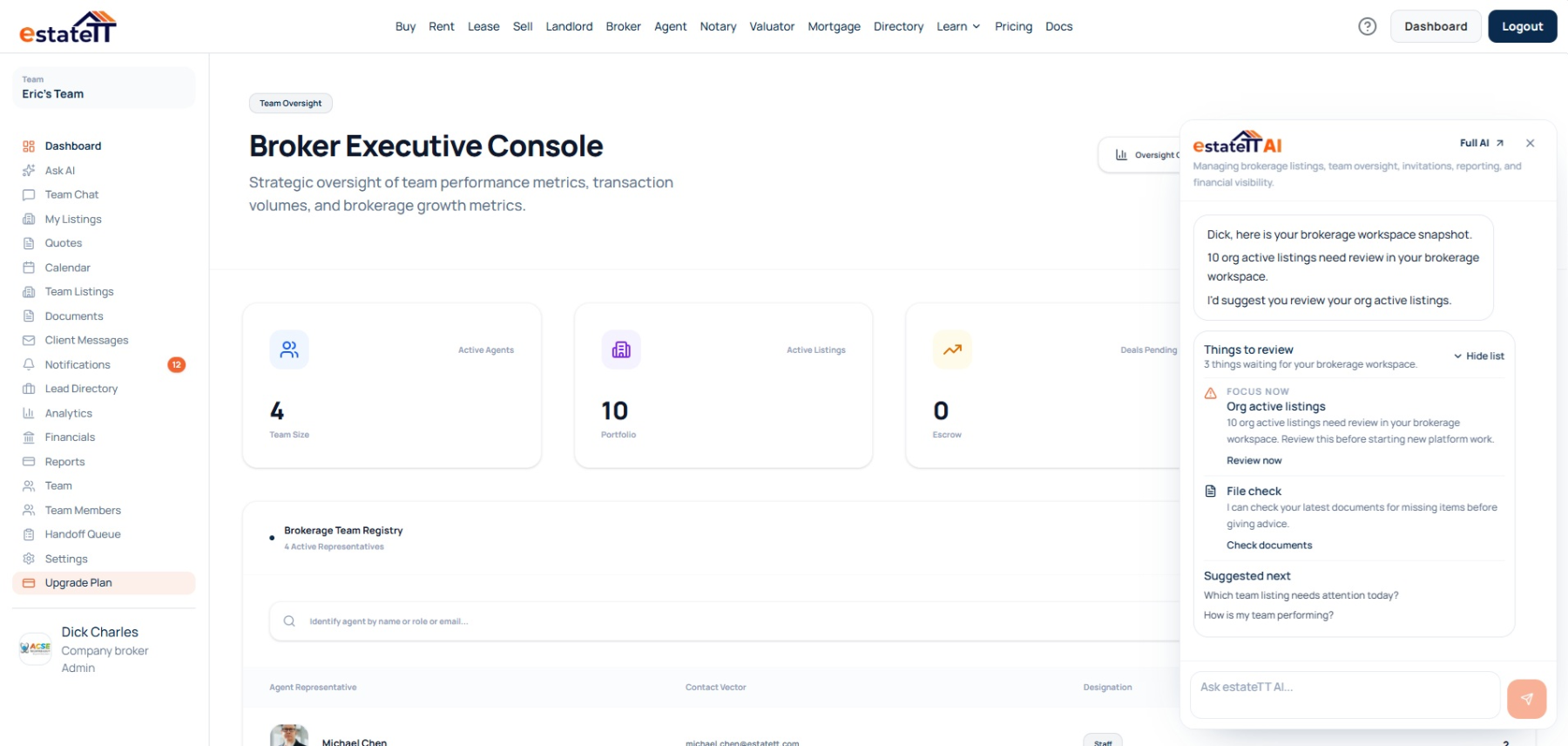
The company account organizes role-aware teams, listings, offers, messages, documents, calendars, notifications, directories, analytics, reports, and financial records.
Role-aware views let Cayman Islands agents execute assigned work while leadership reviews team membership, role-aware access, company and personal listings, offers, messages, documents, calendars, notifications, directories, analytics, reports, and financial activity at the level appropriate to its responsibility.
Administrator handoffs help unresolved cost, inclusion, and property questions move to a new owner with their sources attached.
Set Cayman Islands membership, invitations, permissions, and assignments without giving every person management-level access.
Keep the client, property, and responsible-person context available so the Cayman Islands team can record the exact question.
Use supported Cayman Islands reports and account signals to open the local property record behind the wider company signal, then decide how leadership should respond.
Give another Cayman Islands team member the unresolved property and client context after account access or responsibility changes.
The brokerage journey
The Cayman Islands broker journey connects company setup, record the exact question, informed review, accountable reassignment, and support for the people carrying the work.
01
Create the Cayman Islands company brokerage and assign account access according to each person's responsibility.
02
Link Cayman Islands listings and appointments to their offers, messages, documents, notifications, and responsible team members.
03
Review the records behind the activity and decide whether the open Cayman Islands work needs information, authority, assignment, or follow-up.
04
Review open Cayman Islands items, name the new owner, and return the relevant property and client context to the active team.
05
Give the Cayman Islands agent, client, leader, or qualified professional the context needed for the action that belongs to them.
Connected Cayman Islands activity does not transfer judgment
estateTT organizes Cayman Islands brokerage context. It does not confirm strata obligations, inclusions, costs, title, condition, value, financing, tax, legal advice, or another party's statement.
Use the Cayman Islands company view to supervise, assign, support, and review within the authority attached to the brokerage role.
Keep assigned execution with responsible Cayman Islands agents, client authority with clients, and professional conclusions with the qualified people accountable for them.
What the Cayman Islands brokerage account keeps connected
Organize Cayman Islands company membership, invitations, permissions, and assigned responsibility
Keep the client, property, responsible person, and next action visible while the brokerage works to record the exact question.
Review Cayman Islands listings, offers, messages, documents, reports, notifications, and financial signals with their context
Use the administrator handoff view to keep unresolved Cayman Islands work attached to a newly responsible person.
What the Cayman Islands operating view cannot conclude
Verify Cayman Islands licensing, compliance, title, condition, access, value, or another party's property representations
Approve offers, set commissions, or exercise Cayman Islands client and management authority that has not been granted
Provide legal, tax, lending, valuation, inspection, regulatory, or other professional advice for Cayman Islands property work
Replace Cayman Islands brokerage leadership, responsible agents, qualified professionals, or client judgment
Account-aware AI
Supported listing, offer, team, invitation, financial, and unread signals can guide leadership toward the record needing review while documents and qualified confirmation remain decisive.
Trace a Cayman Islands management concern to the supported listing, offer, team, message, notification, reporting, or financial context behind it.
Bring stale, unread, or unresolved Cayman Islands activity into view so leadership can assign the appropriate follow-up.
estateTT AI does not rank Cayman Islands agents, approve offers, set commissions, verify property claims, or replace management and professional judgment.
Continue through the right route
In Cayman Islands, company oversight, independent brokerage, and agent execution can share property context without sharing identical permissions or operating views.
See how an individual Cayman Islands agent manages client context, listings, appointments, offers, and follow-up from the execution side.
Compare professional and company plan options for a Cayman Islands brokerage.
See how the wider estateTT platform connects Cayman Islands brokerage activity to related property roles.
Questions before you start
A Cayman Islands broker working alone can choose the independent account. Use the company path when the practice needs team membership, permission levels, shared oversight, and brokerage administration.
Role-aware Cayman Islands company views can lead from portfolio and team signals into the property and communication context available to that account.
Supported Cayman Islands property, client, message, document, appointment, offer, and team context can remain attached to the relevant work for another responsible person to understand.
An administrator can review supported Cayman Islands listings, appointments, conversations, valuation assignments, notary sessions, and related handoff items before assigning a new owner.
No. estateTT organizes Cayman Islands account activity; brokerage leaders, clients, agents, and qualified professionals retain their own authority, checks, advice, representations, and conclusions.
A Cayman Islands company view should preserve the reason behind the work, not only the activity.
Create the company brokerage account for shared oversight, or use the independent broker path when the practice has no team structure.
estateTT organizes Cayman Islands brokerage activity and account context. Brokerage leaders, agents, clients, attorneys, valuators, lenders, inspectors, regulators, and other qualified parties remain responsible for their own authority, representations, checks, advice, and decisions.